

Automatisierte Bewertungsmöglichkeiten in Bewertungsformularen
Voraussetzungen
- Genesys Cloud CX 3, Genesys Cloud CX 4, Genesys Cloud CX 2 WEM Add-on I, Genesys Cloud CX 1 WEM Add-on II oder Genesys Cloud EX-Lizenz + AI-Tokens
- Qualitätsadministrator Berechtigungen
- Qualität > Bewertungsformular > KI-Bewertung bearbeiten
- Optional können Sie die Qualität > Auswertung > Sensible Daten anzeigen Erlauben Sie sich, die Begründung einzusehen, die die KI verwendet, um zu bestimmen, warum die ausgewählte Antwort gewählt wurde.
Genesys bietet automatisierte Bewertungsfunktionen für Beurteilungsfragen, sodass Vorgesetzte mehr Zeit für das Coaching und weniger Zeit für manuelle Interaktionsüberprüfungen aufwenden können. Diese Funktionen optimieren die Qualitätsmanagementprozesse und helfen den Mitarbeitern, sich kontinuierlich zu verbessern. Indem Gesprächsdaten in umsetzbare Erkenntnisse umgewandelt werden, Genesys KI-Bewertung Und Evaluierungshilfe messbare Verbesserungen der Servicequalität und der betrieblichen Effizienz erzielen. Beide Lösungen unterstützen Sprach- und digitale Interaktionsarten.
KI-Bewertungsübersicht
Genesys KI-Bewertung ist eine KI-gestützte Funktion, die die Auswertung von Kundeninteraktionen automatisiert. Anstatt sich ausschließlich auf manuelle Bewertungen zu verlassen, nutzt es KI-Modelle, die anhand vordefinierter Qualitätskriterien trainiert wurden, um Gespräche in großem Umfang zu bewerten.
Dies führt zu schnelleren, einheitlicheren und objektiveren Auswertungen, wodurch menschliche Voreingenommenheit ausgeschlossen und sichergestellt wird, dass ein größerer und repräsentativerer Datensatz von Interaktionen überprüft wird. Zusätzlich zur automatisierten Bewertung bietet AI Scoring detaillierte Antwortbegründungen, die Vorgesetzte als gezieltes Coaching-Feedback nutzen können, um die Leistung der Agenten zu verbessern.
Übersicht zur Evaluierungshilfe
Evaluierungshilfe nutzt Themen, um die Beantwortung bestimmter Fragen in Bewertungsformularen zu automatisieren. Die Themen bestehen aus Formulierungen, die geschäftliche Absichten ausdrücken. Um beispielsweise Interaktionen zu erkennen, bei denen ein Kunde einen Dienst kündigen möchte, könnten Sie ein Thema mit dem Namen erstellen Stornierung und Formulierungen wie „Ich möchte mein Konto schließen“ oder „Ich möchte kündigen“ enthalten.
Diese Themen verbessern das Erkennen organisationsspezifischer Sprache, indem sie die zugrunde liegenden Sprachmodelle so anpassen, dass sie nach den Begriffen und Formulierungen suchen, die für Ihr Unternehmen am wichtigsten sind.
Wenn einer Formularfrage eine Bewertungshilfe hinzugefügt wird, identifizieren Sprach- und Textanalysen Interaktionen, die die zugehörigen Themen enthalten. Wird ein passendes Thema gefunden, generiert das System automatisch die Antwort auf diese Frage.
Weitere Informationen finden Sie unter: Programme, Themen und Ausdrücke verstehen , Und Arbeiten Sie mit einem Thema Die
- Erstellen Sie eine Fragengruppe. Weitere Informationen finden Sie unter Erstellen und Veröffentlichen eines Bewertungsformulars .
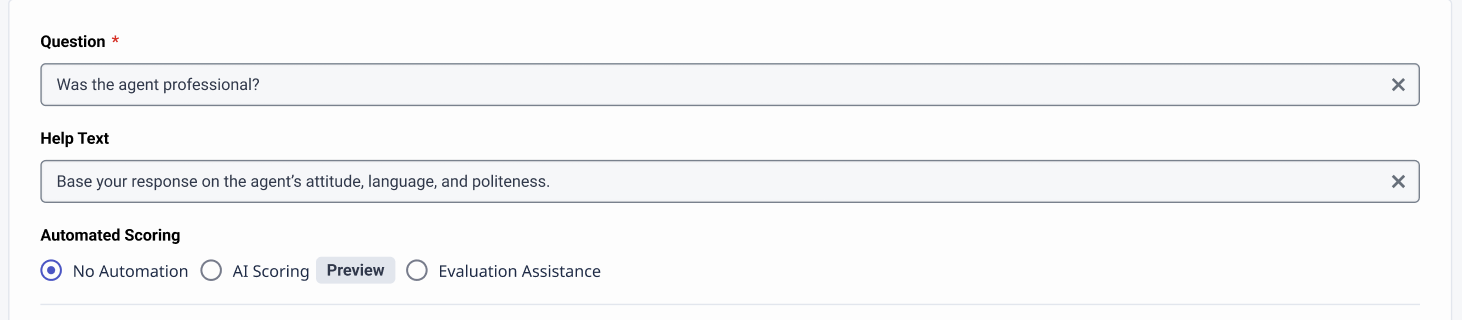
- Wenn Sie eine neue Frage hinzufügen, können Sie für jede Frage eine automatische Bewertung festlegen.
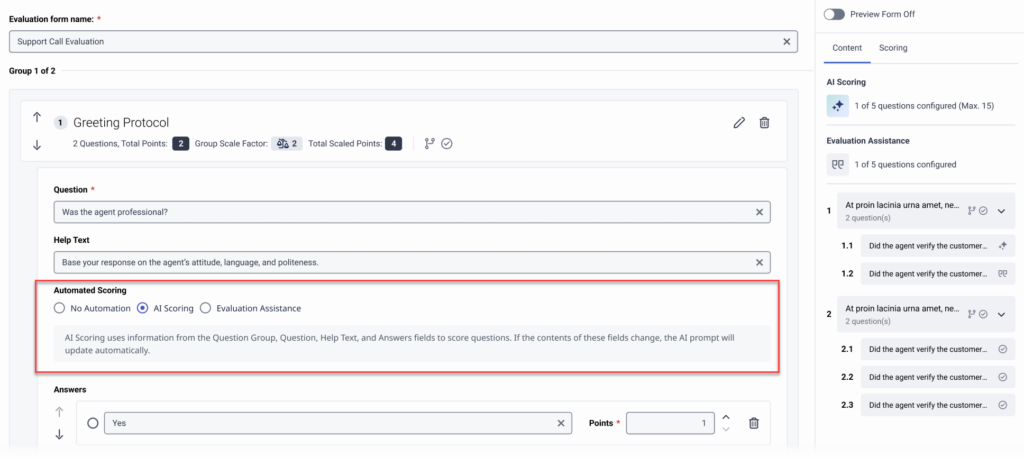
Die Optionen sind:- Keine Automatisierung
- KI-Bewertung
- Unterstützung bei der Evaluierung
- Speichern Sie die Frage und schließen Sie die Einrichtung des Bewertungsformulars ab. Weitere Informationen finden Sie unter Erstellen und Veröffentlichen eines Bewertungsformulars .
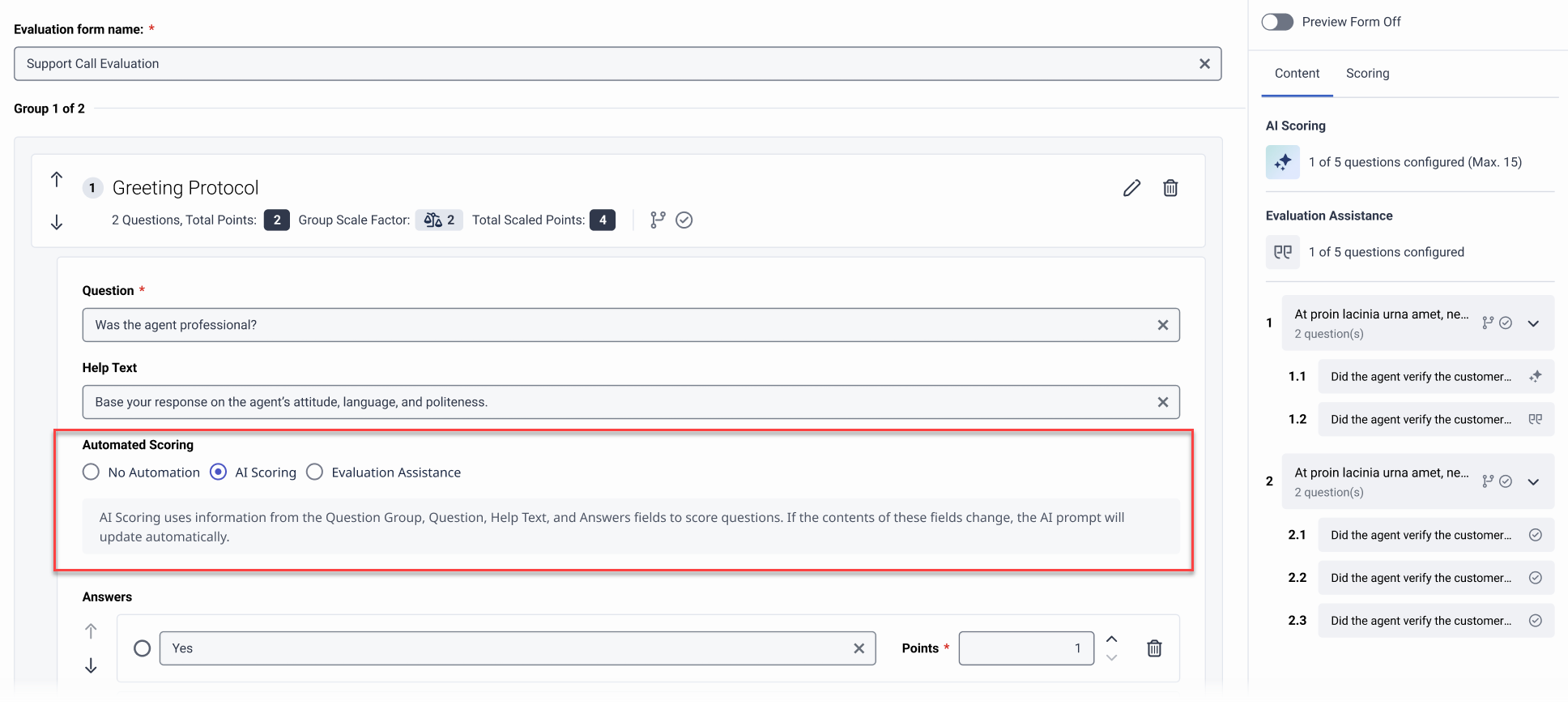
Sie können die KI-Bewertung pro Frage im Editor für Bewertungsformulare aktivieren, damit Genesys Cloud die Antwort bei einer Bewertung mithilfe von KI vorab einträgt.
Erstellen von Frageaufforderungen
Die Eingabeaufforderung wird automatisch aus dem Text der Fragengruppe, der Frage, den Antworten und dem Hilfetext erstellt. Wenn Sie unklare Fragen umformulieren und diesen Feldern Kontext hinzufügen, können Sie die Wirksamkeit Ihrer Fragen für die KI-Bewertung verbessern.
Beispiel unklare Frage 1: „War der Kunde zufrieden?“
- Klare Frage für die KI-Bewertung : „Hat der Agent das Problem des Kunden am Ende des Gesprächs zu dessen Zufriedenheit gelöst?“
- Hilfetext : „Konzentrieren Sie sich darauf, ob der Agent die Hauptanliegen des Kunden berücksichtigt hat und wenn der Kunde am Ende eine positive Bewertung abgegeben oder seine Zufriedenheit signalisiert hat.
Beispiel unklare Frage 2: „Hat der Mitarbeiter den Kunden richtig begrüßt?“
- Klare Frage für die KI-Bewertung : „Hat der Agent den Kunden zu Beginn des Gesprächs freundlich begrüßt und seinen Namen erwähnt?“
- Hilfetext : „Überprüfen Sie, ob der Mitarbeiter Sie freundlich und höflich begrüßt und den Namen des Kunden verwendet hat. Geben Sie innerhalb der ersten 30 Sekunden des Anrufs einen freundlichen Ton an.“
Eingabeaufforderungsfilter
Konfiguriert Fragen zur KI-Bewertung verwenden einen Eingabeaufforderungsfilter, sodass Genesys Cloud nur Antworten auf Fragen bereitstellt, bei denen die Antwort des KI-Modells ein hohes Konfidenzniveau aufweist.
- Antwortlimit : Sie können keine KI-Scoring-Konfiguration speichern für Fragen, die mehr als drei Antwortmöglichkeiten haben.
- N/A oder keine Beweise : In diesem Fall verfügt das KI-Modell nicht über ausreichende Informationen, um eine Frage zu beantworten. Genesys Cloud zeigt den Kontext an, wenn das KI-Modell keine Antwort liefern kann.
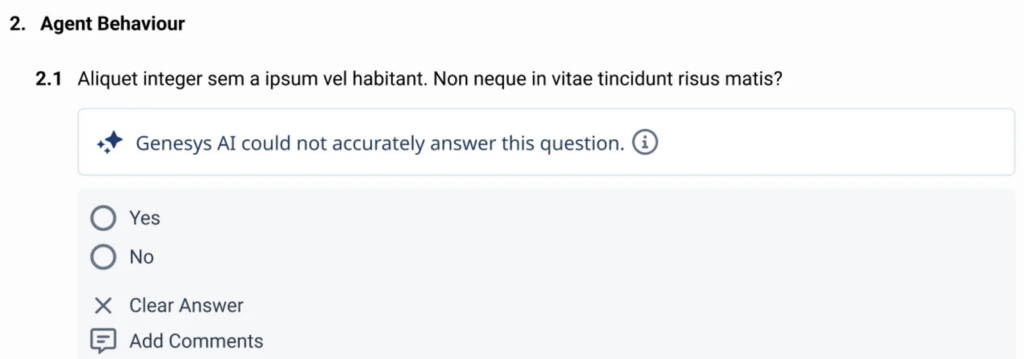
- Historische Genauigkeit: Genesys Cloud überprüft kontinuierlich die gespeicherten Daten aus den KI-generierten Bewertungsantworten, um deren Zuverlässigkeit zu beurteilen. Die Genauigkeit wird daran gemessen, wie häufig ein menschlicher Gutachter eine von der KI gelieferte Antwort korrigiert. Sobald die Genauigkeit einen akzeptablen Schwellenwert erreicht hat, zeigt Genesys Cloud diese KI-generierte Antwort automatisch für zukünftige Auswertungen an, die dieselbe Frage beinhalten. Die historische Genauigkeit wird anhand der 25 aktuellsten Antworten zu jeder Frage berechnet. Sinkt die Genauigkeit innerhalb dieses gleitenden Zeitfensters unter 75 %, wird die Frage mit einem Warnhinweis bezüglich geringer Zuverlässigkeit versehen und die KI-generierte Antwort den Gutachtern vorenthalten. Genesys Cloud generiert und speichert jedoch weiterhin KI-Antworten im Hintergrund, sodass die Genauigkeit bei Eingang neuer Auswertungen neu bewertet werden kann. Sobald die Genauigkeit wieder mindestens 75 % beträgt – basierend auf demselben Zeitraum von 25 Einreichungen – wird das Warnsignal für geringes Vertrauen entfernt, und die KI-generierte Antwort wird den Gutachtern wieder angezeigt.
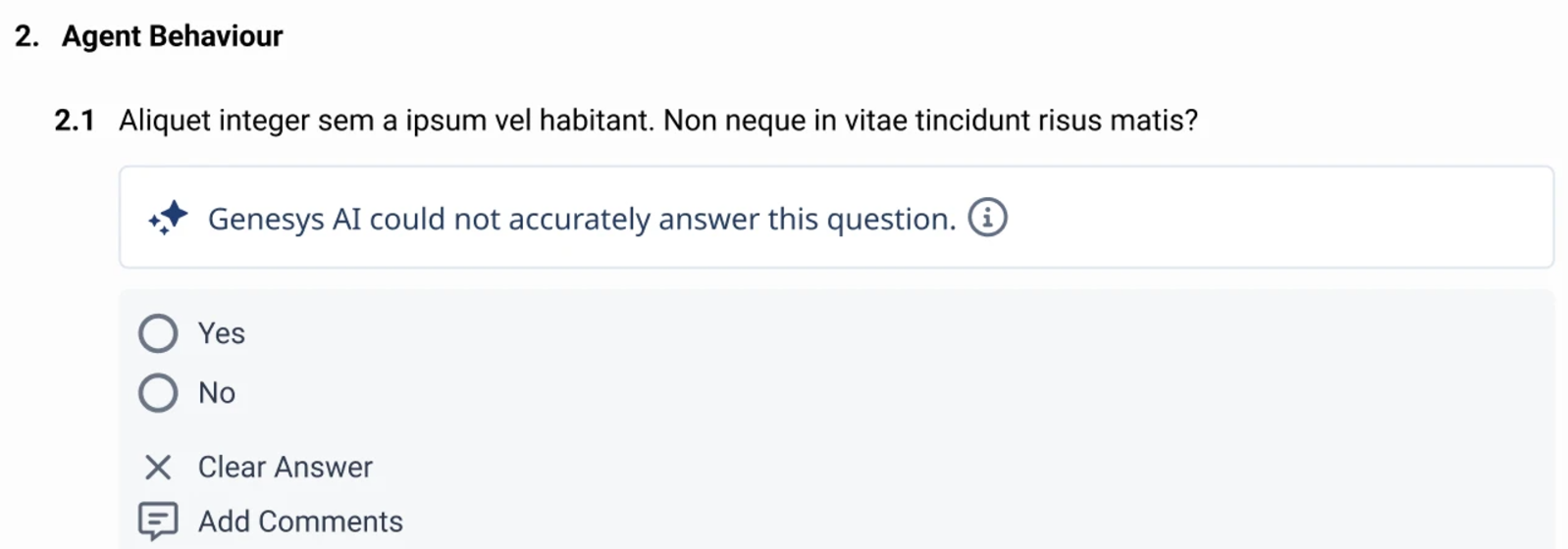
- Wenn Sie ein Formular ändern und erneut veröffentlichen, Genesys Cloud setzt den verfolgten Verlauf von Fragen mit konfigurierter KI-Bewertung zurück.
- Genesys Cloud-Tracks den Verlauf zu einer bestimmten Frage für bis zu 30 Tage. Wenn nach 30 Tagen keine Aktivität zu der Frage erfolgt, wird der Verlauf gelöscht.
- Weitere Informationen zu den Richtlinien und Best Practices für die KI-Bewertung finden Sie hier. Best Practices für KI-Bewertung Die
- Weitere Informationen zum Erstellen von Agent Auto-Auswertungsformularen finden Sie unter Agent füllt Formular automatisch aus Die
Hinzufügen einer Bewertungshilfebedingung zu einer Formularfrage
- Erstellen Sie eine Frage im Bewertungsformular.
- Klicken Sie auf Add Evaluation Assistance Condition, die mit der Antwort verbunden ist, für die Sie automatisch eine Antwort generieren lassen möchten.
- Wählen Sie in der Liste ob Konversation aus, ob die Konversation ein oder mehrere Themen enthalten oder ausschließen soll.
- Wählen Sie in der Liste diese Themen ein oder mehrere Themen aus.
- (Optional) Klicken Sie erneut auf die Option Add Evaluation Assistance Condition, um eine weitere Bedingung zu derselben Antwort hinzuzufügen.
- Ein Thema kann nicht in mehr als einer Bewertungsbedingung verwendet werden.
- Wenn Sie ein Thema löschen, ist die Bedingung, die das gelöschte Thema einschließt, nicht mehr gültig.
- Eine Auswertungshilfebedingung kann nur für eine Antwort pro Frage konfiguriert werden.
- Wenn mehr als ein Thema für eine einzelne Beinhaltet Für die Erfüllung der Bedingung muss nur eines der Themen gefunden werden.
- Wenn mehr als ein Thema für eine einzelne Ausgeschlossen Für die Nichterfüllung der Bedingung muss nur eines der Themen gefunden werden. Damit die Bedingung erfüllt ist, müssen alle Themen in der Interaktion fehlen.
- Wenn für eine einzelne Antwort mehrere Bedingungen erstellt werden, müssen alle Bedingungen erfüllt sein, damit die Antwort automatisch eingetragen wird.
